



Automation for Humans: How AI and “Semi-Automation” Are Changing the Way You Work
For decades, we have used the internet like someone visiting a library: you search, you compare, you read, you take notes. Everything depended on you. And although technology has accompanied us, it was us who bore the burden of repetitive tasks.
But we are entering a new era.
An era in which delegating digital tasks is becoming the norm.
An era where there is a clear line between what you do... and what a tool does for you.
1. The Paradigm Shift: From Navigating to Delegating
Until very recently, if you wanted to do something on the internet, you did it yourself:
You would open tabs, search for information, compare prices, write texts, review documents...
Modern automation is changing that.
To understand it better, we divide it into two worlds:
Navigators: the new digital co-pilots
Here we are talking about tools that work within the browser, accompanying you as you interact with the web.

• A co-pilot (Comet, from Perplexity)
Comet sits with you in your browser and acts while you watch.
You tell it what you want — search, compare, filter, plan, analyse — and it does it without you having to open a thousand tabs or do repetitive work.
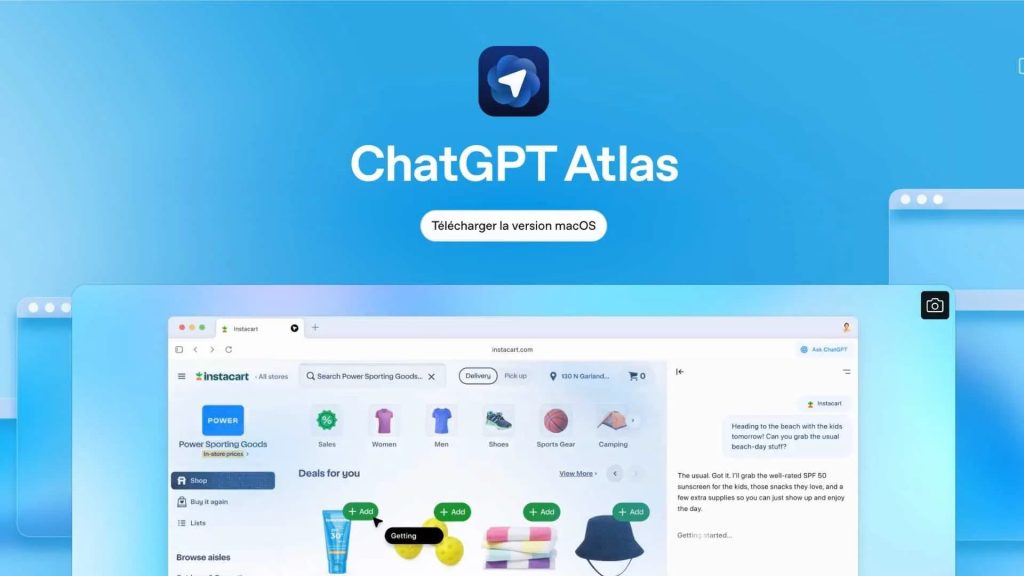
• Atlas, by ChatGPT
Atlas is the new player.
It is in second place in a race where only two are competing: Comet and Atlas.
It has not yet shown its full potential, but it looks set to be a very strong alternative when it matures.
The browser is no longer just a simple window; it has become an agent that performs tasks for you.
It no longer just displays pages: now it does things, solves problems, searches, compares, filters and organises.
That is why these tools mark a turning point.
2. The Browser Revolution: How it changes your daily life
The way we search the internet has changed. Before, you wasted time opening a thousand tabs and comparing everything manually. Now, browsers with automatic assistance do that work for you: they search, filter, organise, and give you the best option in a single step. You ask, they deliver. It's that simple.
To see the real impact, just compare the “before” and “after”:
Situation 1: Buy without wasting time
Situation 2: Planning a trip without any hassle
And it does.
It's that simple.
Online tools: the invisible butlers
These platforms do not operate within the browser.
They do not click for you.
They do not accompany you on your screen.
• Make.com / Zapier / N8n
These tools are capable of moving data, connecting applications, archiving documents, scheduling publications, or executing entire processes without human intervention.
They operate in the background, silently, like a digital butler available 24 hours a day.
3. Real examples of invisible automations
Invisible automations are those tasks that happen on their own, from start to finish, without you having to lift a finger. At first, they surprise you... and then you get so used to them that you forget you used to waste time doing them manually. When they work, they simply disappear from your life... but they keep working for you.
Without touching anything.
Without seeking anything.
Without losing anything.
You perform a single action; automation triples your work.
4. Semi-automation: the perfect blend of automation and supervision
Semi-automation is the ideal middle ground: the tool does almost everything, but you remain in control. AI executes, organises or prepares the work... and you simply review it, adjust it or give the final “ok”. They don't go 100% to 100% on their own, but they save you a huge amount of time.
They are not fully autonomous automations.
They do not operate independently from start to finish without supervision.
These are tasks where the machine does the work... and you validate, review or make the final decision.
We can divide them into two types:
A) Semi-automation from the browser (Comet / Atlas)
Here, you give the command, the AI performs the task, and you review the result.
The AI does the work, but you are the one who approves.
B) Semi-automation using online tools (Make / Zapier / N8n)
These are automations that work on a scheduled basis, but require your approval at the end.
Once again:
the tool does the hard work...
but the final decision is human.
These are processes in which you participate, even if you do not do the repetitive work.
5. AI + Automation: the ultimate combination
Previously, automation was just about moving data.
Now AI understands, interprets, and proposes solutions.
You do the human part, the AI does the mechanical part.
6. Conclusion: Reclaim time and free your mind
Automating is no longer “being technical”.
It's not programming.
It's letting the tools do the repetitive work...
so that you can focus on what's important.
7. Surveillance automation: monitoring websites, changes, and competitors
In addition to smart browsers and invisible automations, there is a third very practical category: surveillance automations. These tools monitor information for you and notify you when something changes, without you having to manually check each source.
They are ideal for:
- Monitor competitors
- Analyse changes to your websites or prices
- Detect new publications or news
- Monitor social profiles
- Detect changes in content, structure, or messages
- Monitor changes in catalogues or product sheets
- See updates on blogs or new sections
Perplexity Tasks
Allows you to create daily, weekly, or monthly scheduled searches. It is used to detect general changes to a website, new sections, products, or modifications to content. Each execution generates an automatic report by email.
Perfect for moderate changes, updates to informational pages or blogs. It does not detect technical changes or exact price variations.
Google Alerts
The free option for monitoring mentions on the web, blogs, media, and public pages. Useful for following brands, competitors, news, or keywords. It does not allow you to detect changes within specific pages.
Make.com + HTTP Monitor
Allows you to create custom monitors that check any URL at scheduled intervals. Ideal for combined automations and alerts that can be integrated with Slack, Telegram, WhatsApp, or email.
Allows you to connect the alert with AI to analyse changes. Requires basic technical configuration.
Distill Web Monitor
The most accurate tool for detecting specific changes on a website. Detects modifications in prices, words, tables, listings, or HTML code. Provides instant alerts and a detailed history of changes.
Cool-Tabs
Specialised in monitoring social media profiles, particularly Instagram. Detects new posts, changes in followers, comments, and competitor activity.
Why these tools are so useful
They enable you to have a continuous monitoring system without any effort. Whether it's a price, a blog, a product listing or a competitor, you receive automatic alerts and can act before anyone else. In a digital environment that changes daily, monitoring without wasting time becomes an essential automation.
 Español
  English (UK)
